Adding
an Azimap Role And Applying Entity Functions
This is an option for users at Enterprise level of active directory-enabled site-installs only. This option will allow you to add roles and apply entity functions in your organisation.
Time to complete: 5 mins
Contents
1.
Getting started
2.
Adding a new role
3.
Applying entity functions
1.
Getting started
To
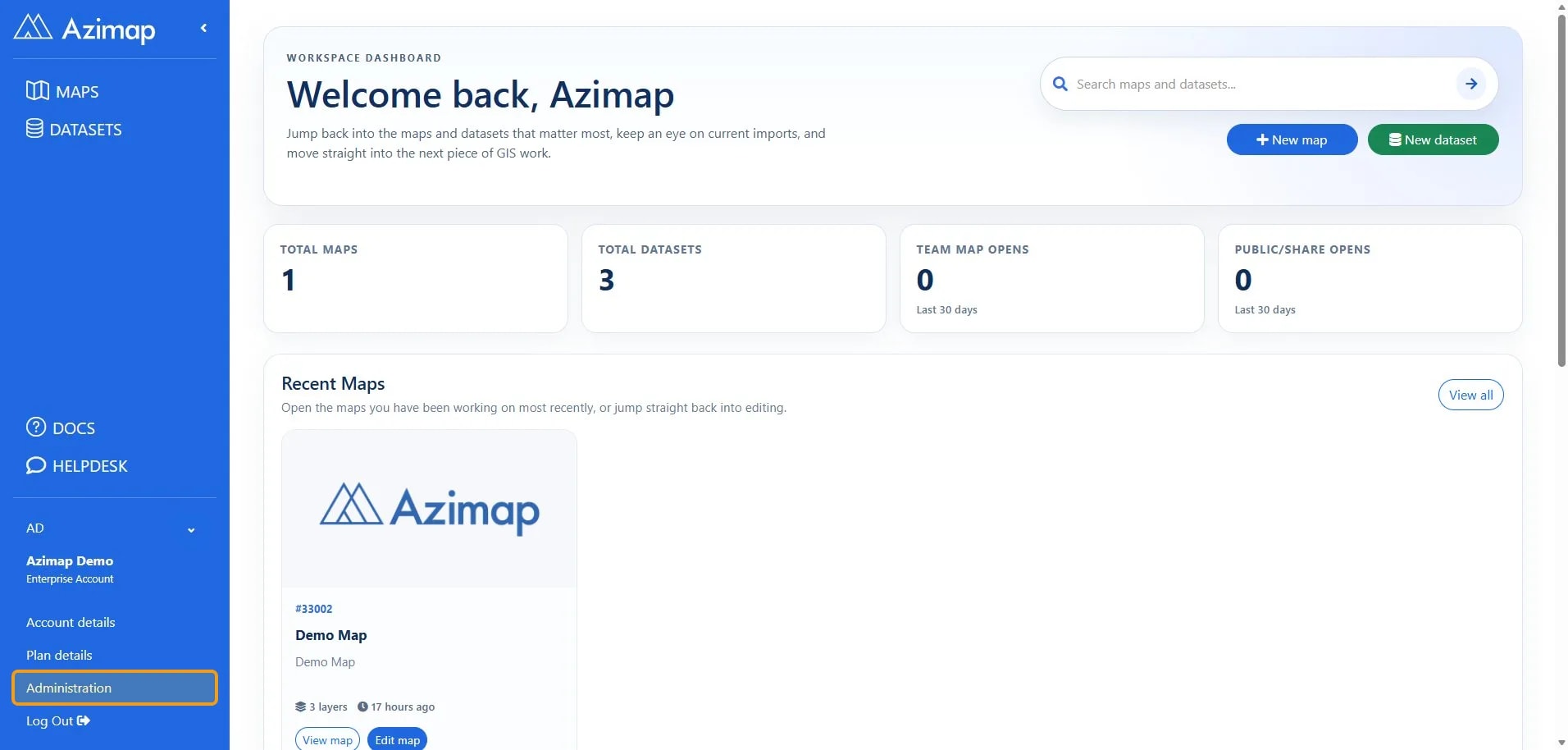
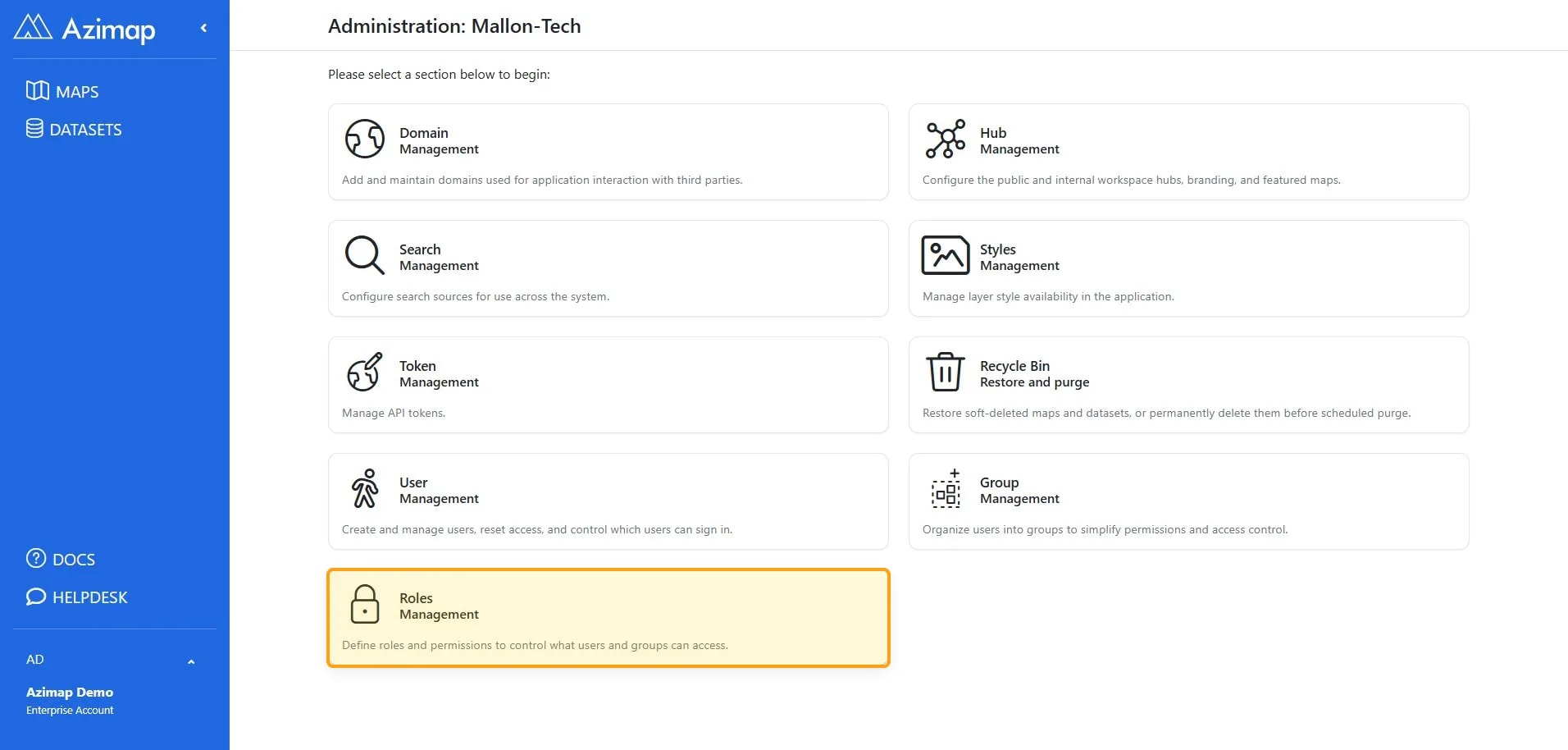
add a new role, navigate to the AZIMAP ROLES MANAGEMENT page in the ADMIN section.
2.
Adding a new role
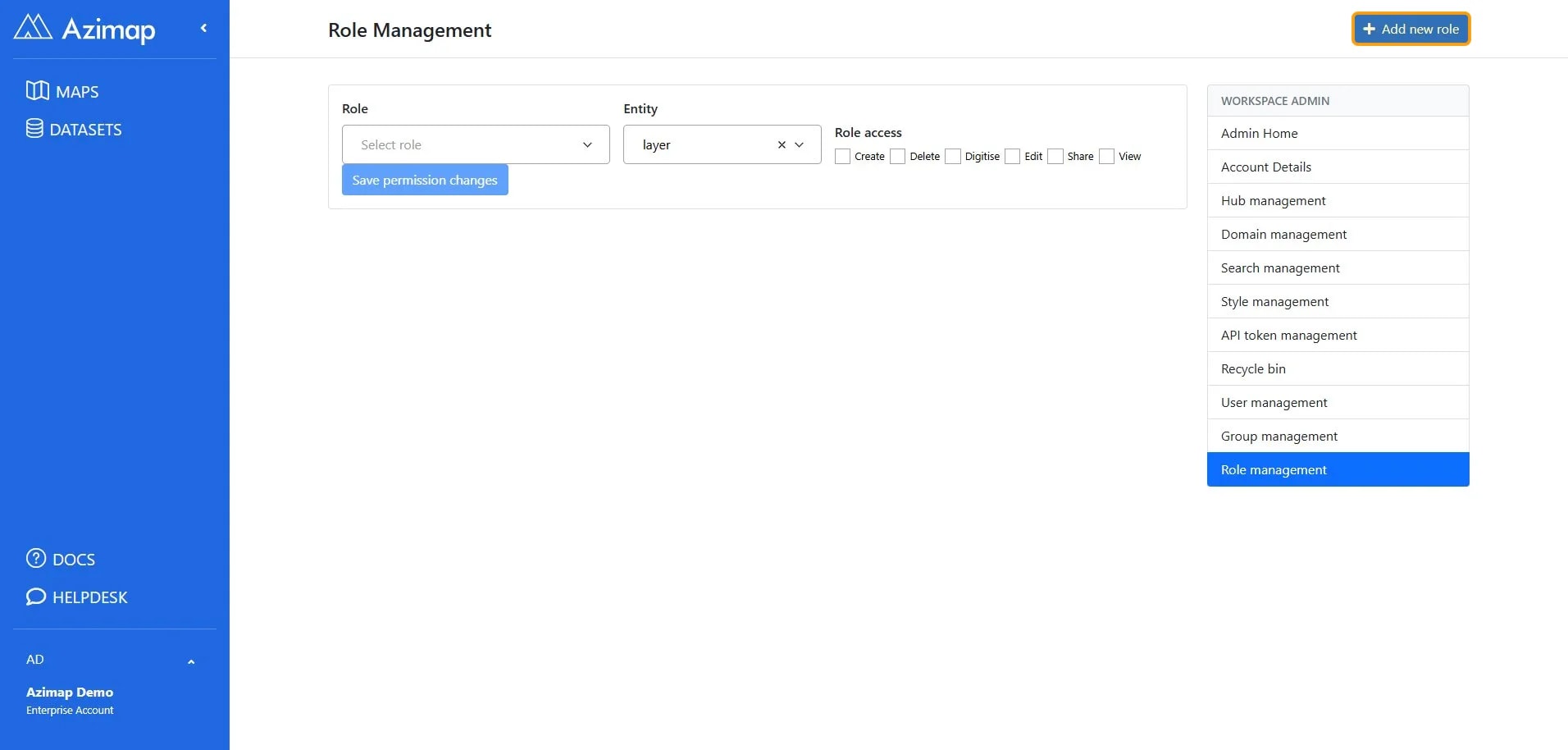
Click on the Add new role button. This
will take you to the Create role screen.
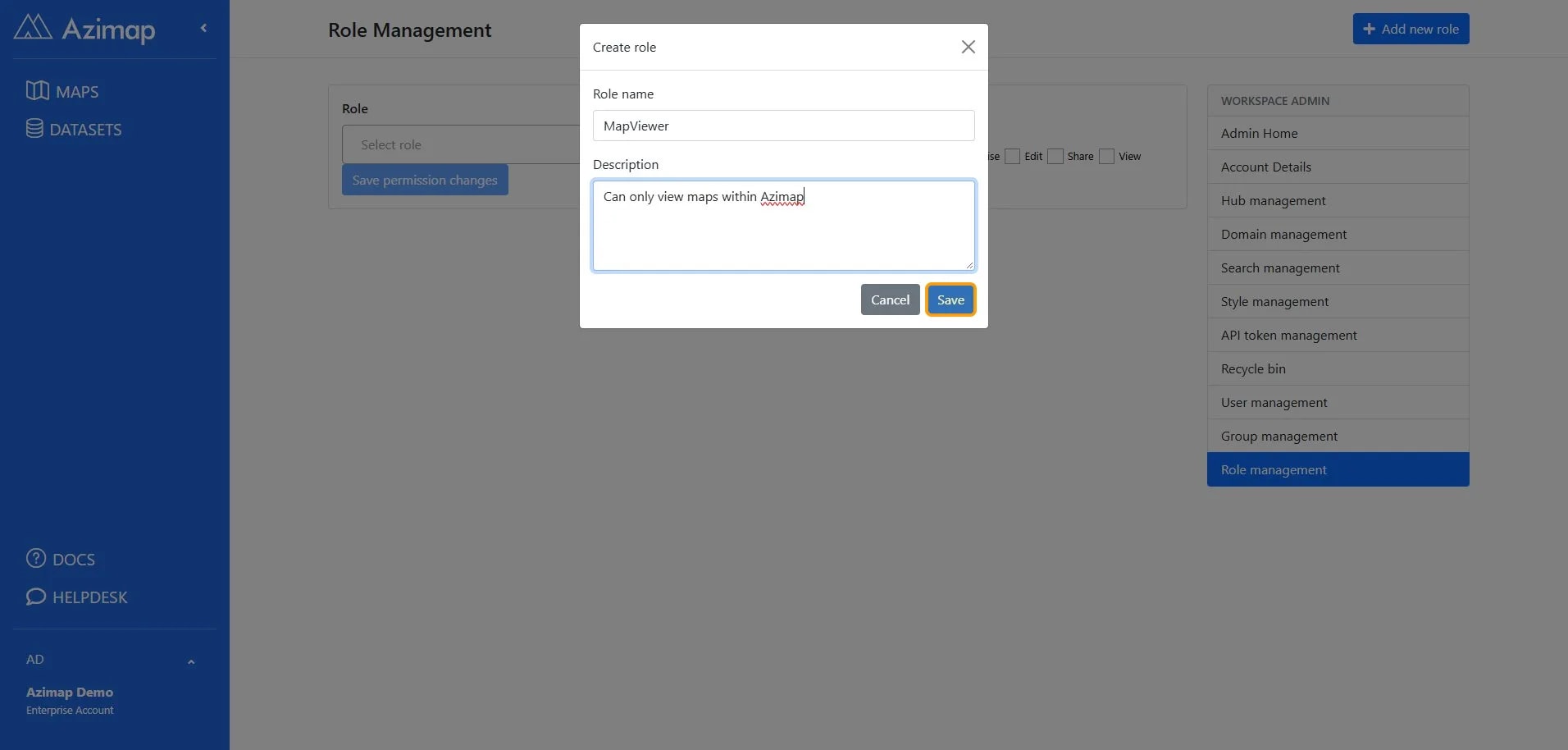
Enter a name for the new role and a description (optional) then click SAVE.
Now close the Create Role screen and select the
role you wish to manage from the role drop-down.
3.
Applying entity functions
Select
the entity you want to apply functions to, check/uncheck the desired functions
and click save permission changes.
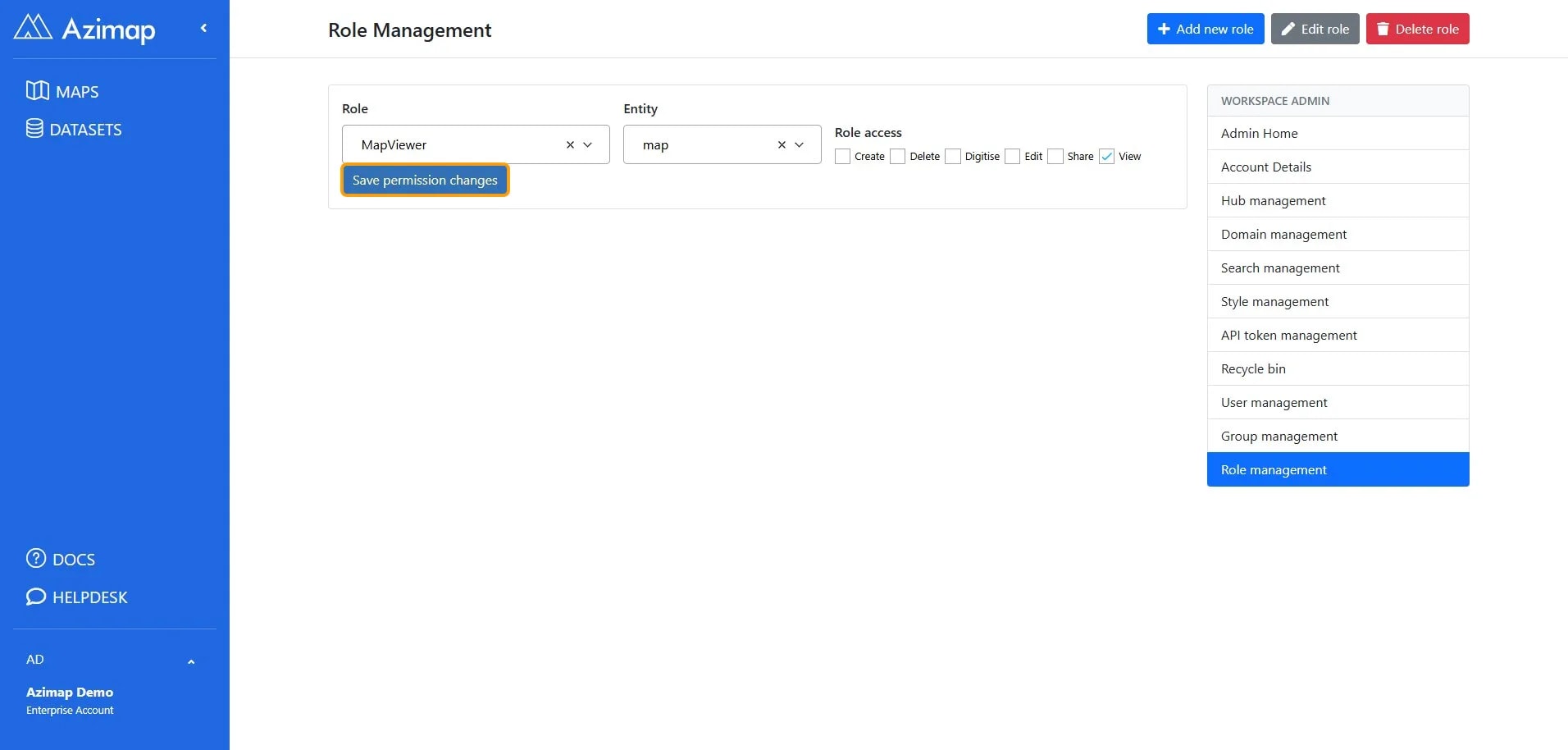
Your
new role has now been configured!!
Note: You can
apply functions for both layers and maps for a single role. Just apply
functions to the layer entity, click save, choose the map entity and apply
functions to it too.